How to use your eSIM
Install once before you fly, then switch it on when you land.
- 1
Install your eSIM
Tap “Install on this Phone”, or scan the QR code with another phone. If it is already installed, do not install it again.
- 2
Install anytime before you fly
Installing early won't start your plan. Your days begin only when the eSIM connects to a network at your destination.
- 3
After you land, select our eSIM for mobile data
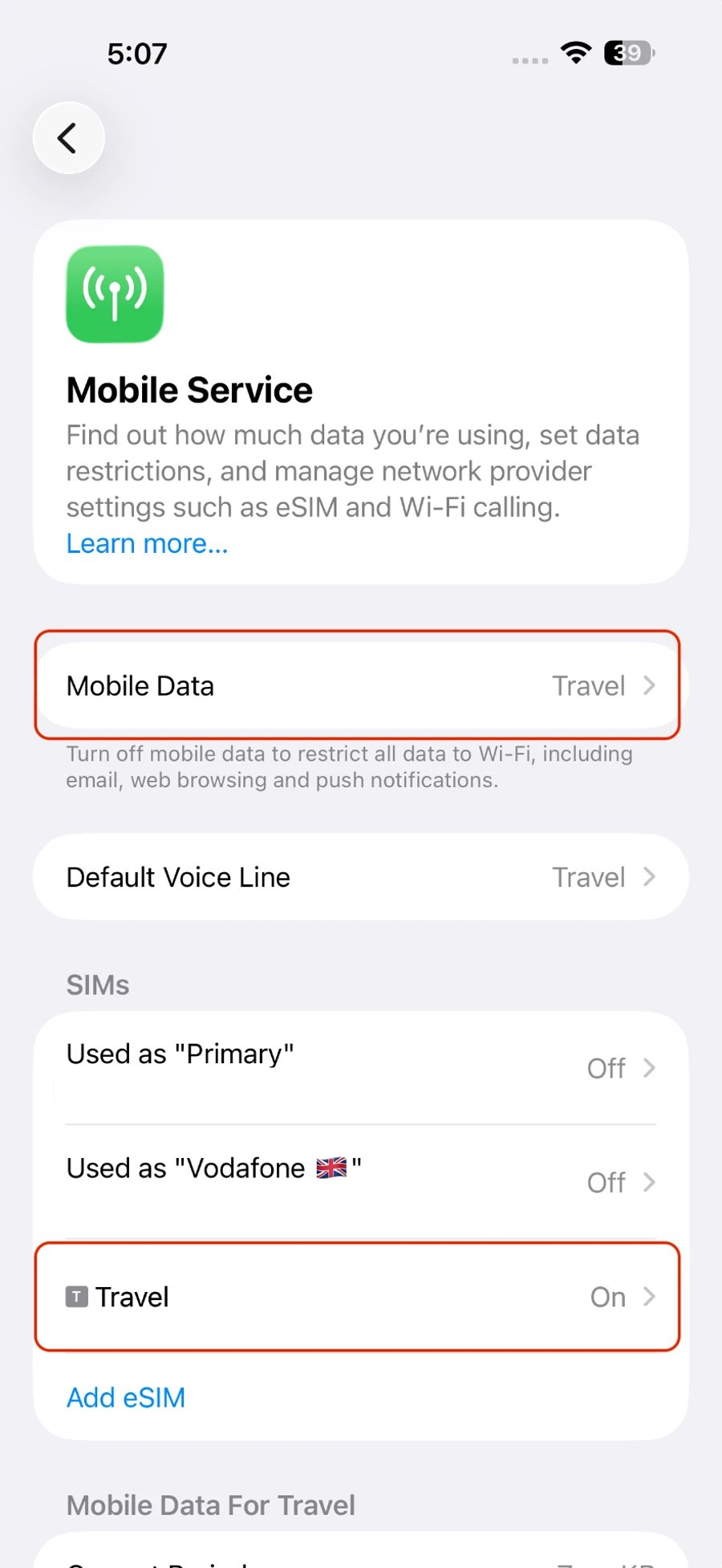
Go to Settings > Mobile Data, turn ON our eSIM line — the one without a phone number — and set it as your mobile data line. Keep your home line OFF to avoid roaming charges.
- 4
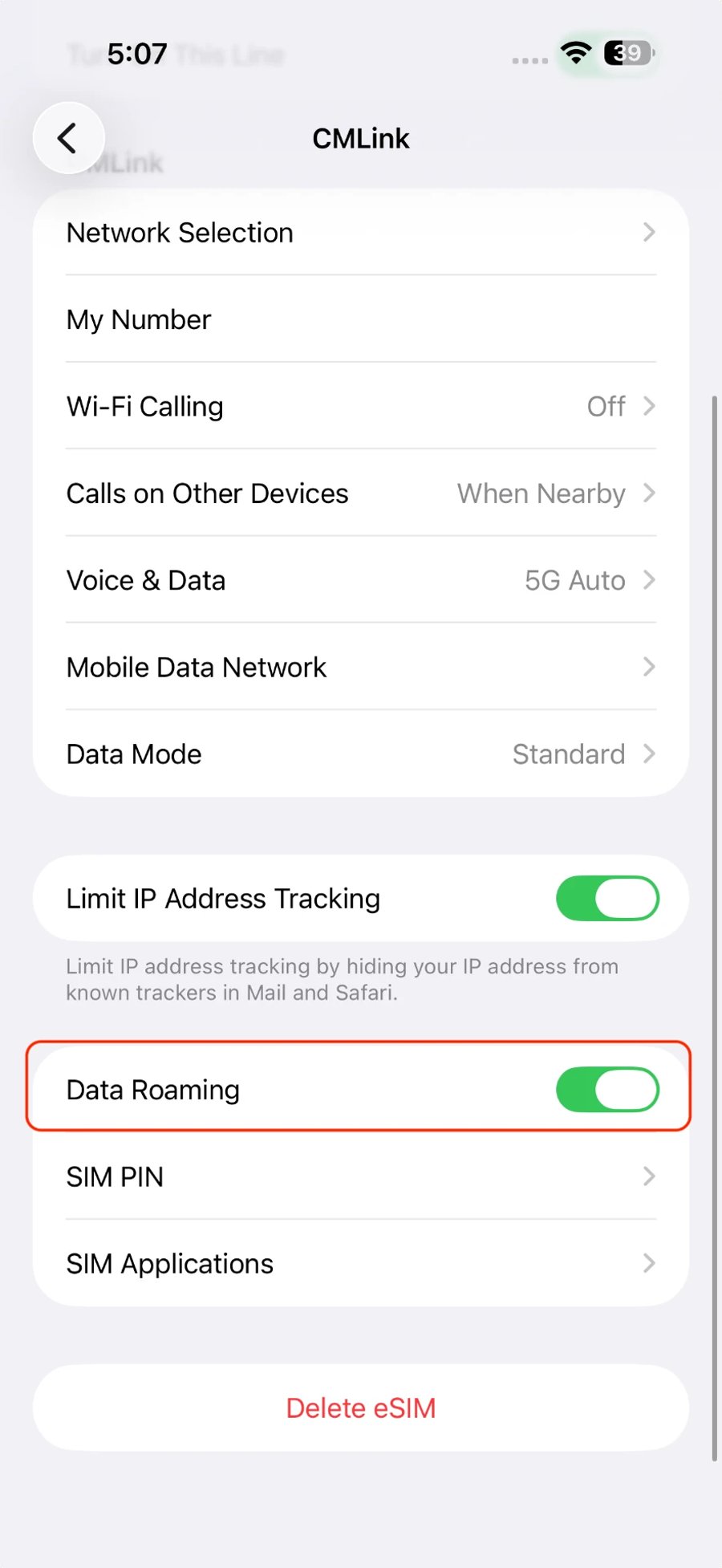
Turn on data roaming
Open our eSIM line and switch Data Roaming ON. It uses your included data, so there are no extra charges.
Your eSIM activates automatically as soon as it connects to a supported network. There is nothing else to activate manually.