
Step-by-Step Guide
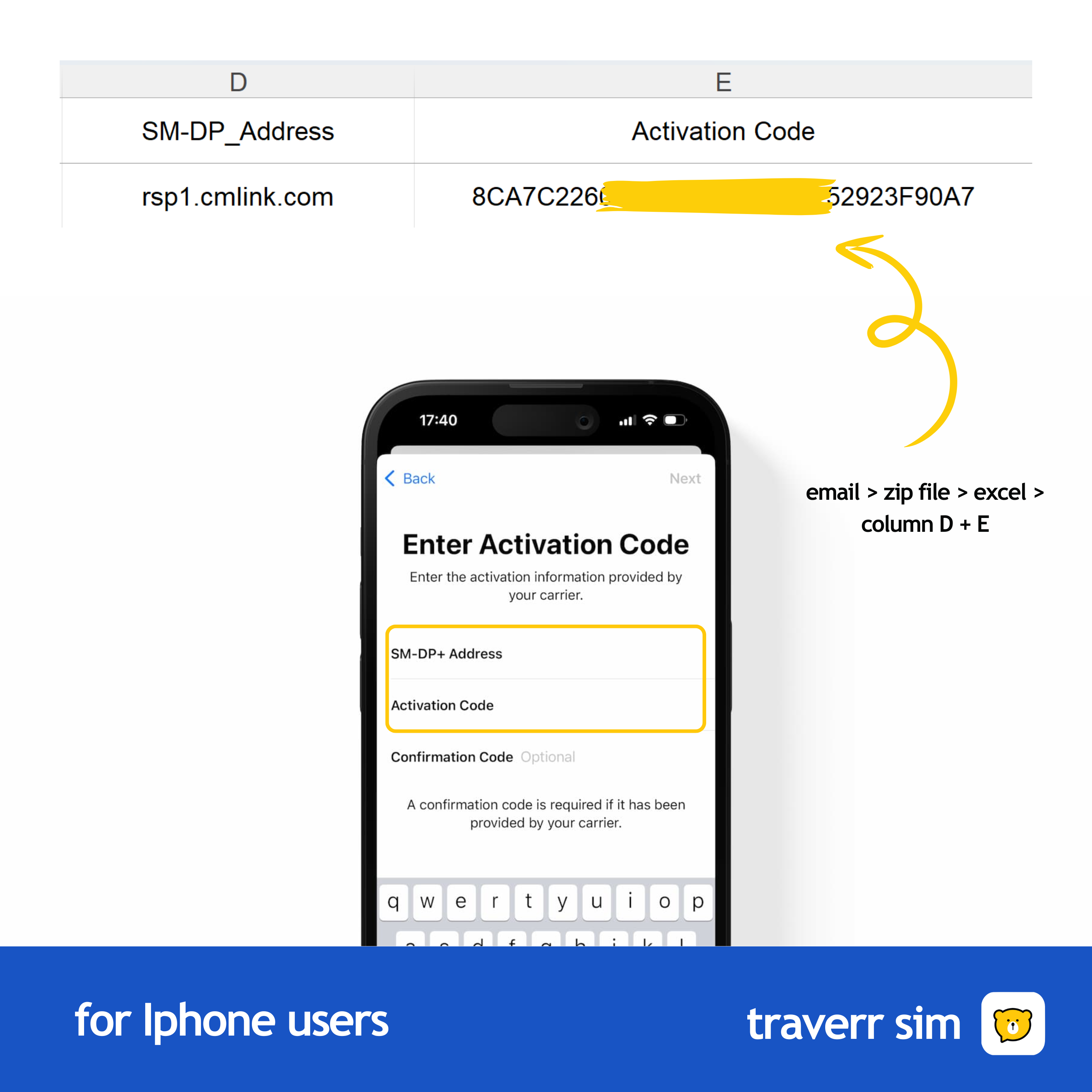
- How to get Manual Code : Included in your Email Attactment > Zip File > Excel
-
Step 1: Open 'Settings'
- Go to the 'Settings' app on your iPhone.
- Tap on 'Cellular' or 'Mobile Data' depending on your region.
-
Step 2: Add eSIM Plan
- Select 'Add Cellular Plan' or 'Add eSIM.'
- You’ll see the option to scan a QR code or enter details manually.
-
Step 3: Enter Manual Code
- Tap on 'Enter Details Manually.'
- Input the manual code provided by us carefully.
-
Step 4: Confirm the Plan
- Once you’ve entered the code, tap 'Next' and then 'Confirm.'
- The eSIM will be added and ready for use.
-
Step 5: Set Up Your New eSIM
- You can now choose the eSIM for data, voice, or both.
- Your iPhone will automatically configure the eSIM settings.