Does the Samsung Galaxy Z Flip 8 support eSIM?
Also searched as “Galaxy Flip 8”
The Samsung Galaxy Z Flip 8 has eSIM hardware, so it can hold a travel data plan next to your usual SIM. Take 30 seconds to confirm it on your own unit before you buy anything — market variants differ.
Short answer
Yes. The Samsung Galaxy Z Flip 8 supports eSIM. Dial *#06# — a 32-digit EID under the IMEI confirms it on your unit. The phone must also be carrier-unlocked for a travel eSIM to install.
Last verified 2026-08-16 against Samsung Support — Set up eSIM.
Check the Samsung Galaxy Z Flip 8 yourself in 30 seconds
- 1
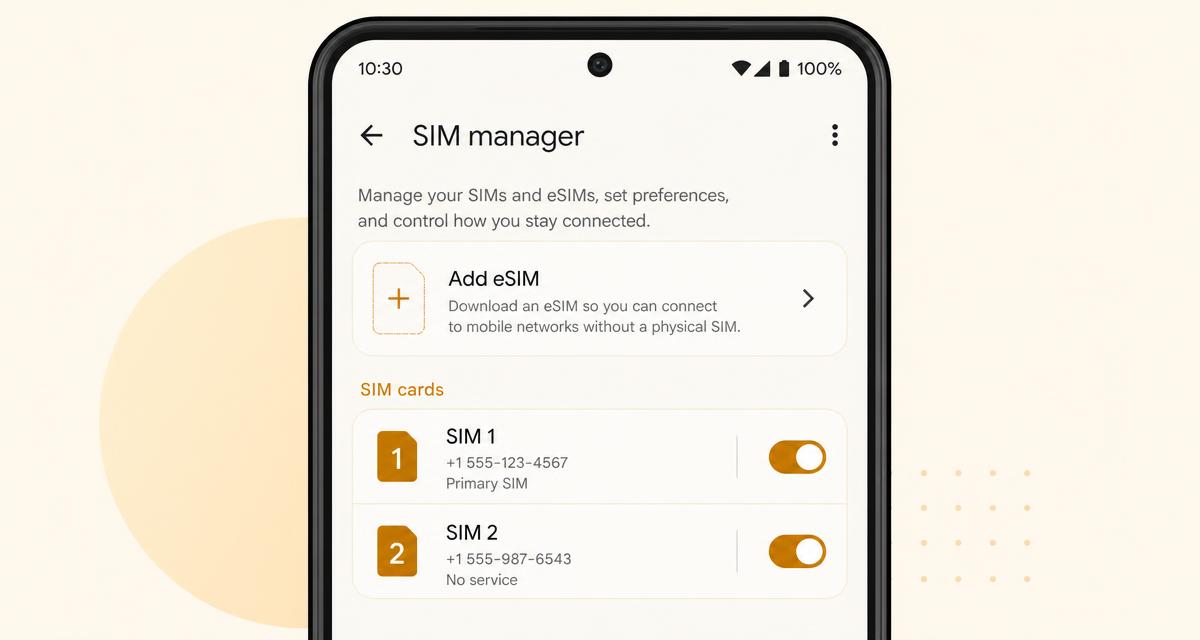
Open Settings → Connections → SIM manager
On the Samsung Galaxy Z Flip 8, look for an “Add eSIM” or “Download a SIM instead?” option.
- 2
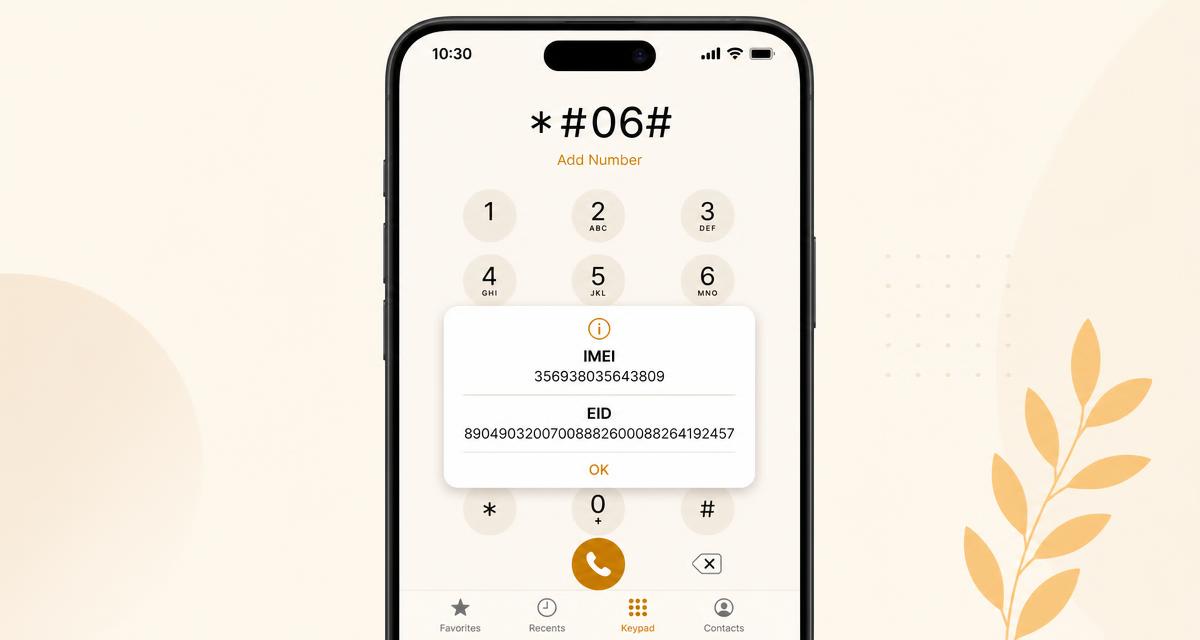
Or dial *#06#
If the popup lists a 32-digit EID below the IMEI, the phone has eSIM hardware.
- 3
Update the software first
Some models only expose the eSIM option after a system update; install pending updates before testing.
- 4
Confirm the phone is carrier-unlocked
Insert a SIM from another network. If it connects, the phone is unlocked and can install a travel eSIM.
How to use a travel eSIM on the Samsung Galaxy Z Flip 8
The Galaxy Z Flip 8 can install a travel eSIM straight from the cover screen — no need to unfold once the profile is downloaded.
Flip units in the US are eSIM-only; elsewhere you get one nano-SIM plus dual eSIM.
Add the plan under Settings → Connections → SIM manager → Add eSIM → Scan QR code from service provider.
Battery is smaller than the Fold, so turn off the home line's data roaming and let only the travel eSIM carry data.
What to watch out for on Samsung
Global Galaxy Z Fold 8 and Z Flip 8 units ship dual eSIM plus one nano-SIM, and US units are eSIM-only with no SIM tray. Units bought in mainland China or Hong Kong have eSIM disabled in firmware. Once the phone is carrier-unlocked, a traverrsim travel eSIM installs in about a minute.
Real speeds: we tested a Galaxy Z Fold 8 eSIM in Singapore, China, Europe and IndonesiaSource: Samsung Support — Set up eSIM · data reviewed 2026-08-16
Frequently asked questions
- Does the Samsung Galaxy Z Flip 8 support eSIM?
- YesThe Samsung Galaxy Z Flip 8 ships with eSIM hardware, so it can install a travel eSIM alongside your normal SIM. Confirm it on your own unit in 30 seconds: dial *#06# and look for a 32-digit EID under the IMEI. Verified against Samsung Support — Set up eSIM and re-checked on 2026-08-16.
- Can the Samsung Galaxy Z Flip 8 use a travel eSIM and my home SIM at the same time?
- YesThe Samsung Galaxy Z Flip 8 runs a travel eSIM for data while your home line stays active for calls and SMS. Turn data roaming off on the home line so it cannot bill you.
- Will a carrier-locked Samsung Galaxy Z Flip 8 accept a travel eSIM?
- NoA phone locked to its original carrier rejects any foreign profile, even with eSIM hardware present — the Add eSIM option appears but the install fails. Ask the carrier for a network unlock first; most do it free once the contract period ends.
- Does where I bought the Samsung Galaxy Z Flip 8 matter?
- It dependson the brand. Global Galaxy Z Fold 8 and Z Flip 8 units ship dual eSIM plus one nano-SIM, and US units are eSIM-only with no SIM tray. Units bought in mainland China or Hong Kong have eSIM disabled in firmware. Once the phone is carrier-unlocked, a traverrsim travel eSIM installs in about a minute. The *#06# test always reflects your specific unit, so trust it over any model list including this one.
Other Samsung devices
Keep reading
Compatibility data last reviewed 2026-08-16.