Does the Samsung Galaxy Z Fold 8 Ultra support eSIM?
Also searched as “Galaxy Fold 8 Ultra”
The Samsung Galaxy Z Fold 8 Ultra has eSIM hardware, so it can hold a travel data plan next to your usual SIM. Take 30 seconds to confirm it on your own unit before you buy anything — market variants differ.
Short answer
Yes. The Samsung Galaxy Z Fold 8 Ultra supports eSIM. Dial *#06# — a 32-digit EID under the IMEI confirms it on your unit. The phone must also be carrier-unlocked for a travel eSIM to install.
Last verified 2026-08-16 against Samsung Support — Set up eSIM.
Check the Samsung Galaxy Z Fold 8 Ultra yourself in 30 seconds
- 1
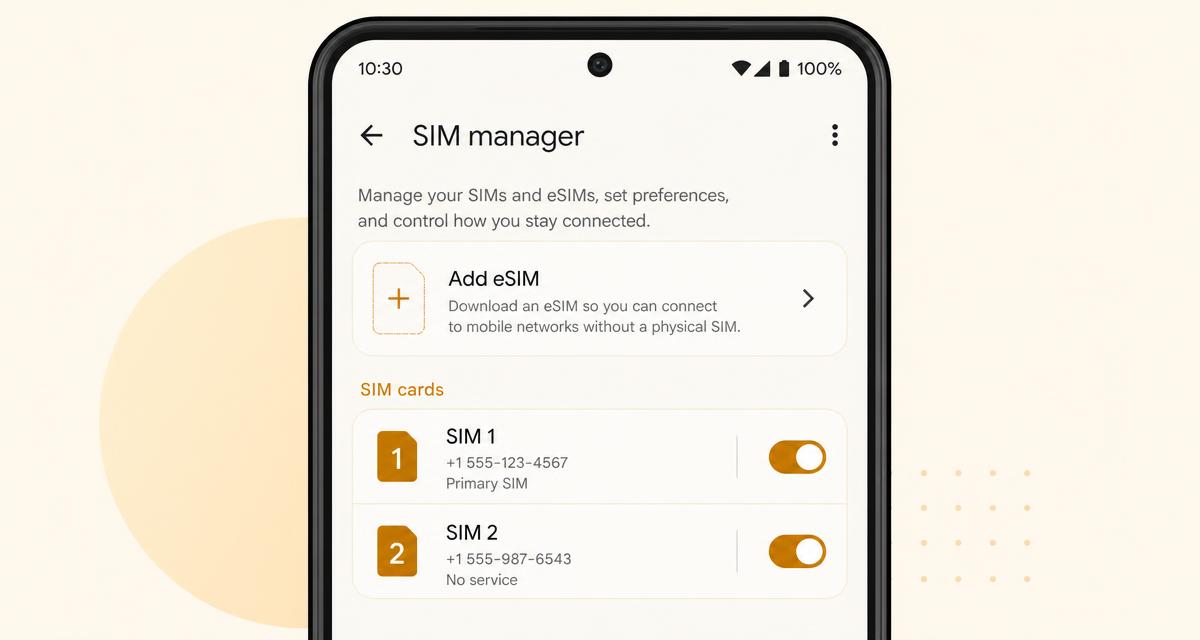
Open Settings → Connections → SIM manager
On the Samsung Galaxy Z Fold 8 Ultra, look for an “Add eSIM” or “Download a SIM instead?” option.
- 2
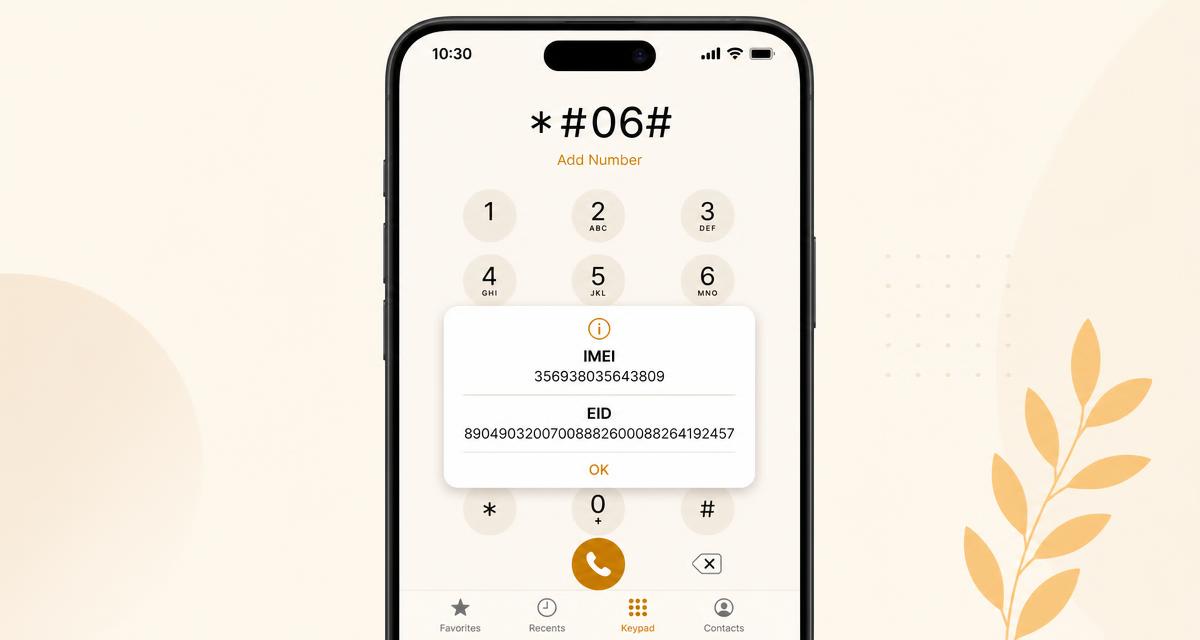
Or dial *#06#
If the popup lists a 32-digit EID below the IMEI, the phone has eSIM hardware.
- 3
Update the software first
Some models only expose the eSIM option after a system update; install pending updates before testing.
- 4
Confirm the phone is carrier-unlocked
Insert a SIM from another network. If it connects, the phone is unlocked and can install a travel eSIM.
How to use a travel eSIM on the Samsung Galaxy Z Fold 8 Ultra
The Z Fold 8 Ultra is eSIM-only in the US and most of Europe — there is no SIM tray, so a travel eSIM is the only way to get local data.
It supports dual active eSIM: keep your home profile plus a traverrsim plan, and label them (Home / Travel) in SIM manager so the switch is obvious in transit.
Moving from an older Fold? Use Settings → Connections → SIM manager → Transfer SIMs from another device instead of asking your carrier for a new QR.
Install before departure. Activation needs internet once, and airport Wi-Fi is not always reliable.
What to watch out for on Samsung
Global Galaxy Z Fold 8 and Z Flip 8 units ship dual eSIM plus one nano-SIM, and US units are eSIM-only with no SIM tray. Units bought in mainland China or Hong Kong have eSIM disabled in firmware. Once the phone is carrier-unlocked, a traverrsim travel eSIM installs in about a minute.
Real speeds: we tested a Galaxy Z Fold 8 eSIM in Singapore, China, Europe and IndonesiaSource: Samsung Support — Set up eSIM · data reviewed 2026-08-16
Frequently asked questions
- Does the Samsung Galaxy Z Fold 8 Ultra support eSIM?
- YesThe Samsung Galaxy Z Fold 8 Ultra ships with eSIM hardware, so it can install a travel eSIM alongside your normal SIM. Confirm it on your own unit in 30 seconds: dial *#06# and look for a 32-digit EID under the IMEI. Verified against Samsung Support — Set up eSIM and re-checked on 2026-08-16.
- Can the Samsung Galaxy Z Fold 8 Ultra use a travel eSIM and my home SIM at the same time?
- YesThe Samsung Galaxy Z Fold 8 Ultra runs a travel eSIM for data while your home line stays active for calls and SMS. Turn data roaming off on the home line so it cannot bill you.
- Will a carrier-locked Samsung Galaxy Z Fold 8 Ultra accept a travel eSIM?
- NoA phone locked to its original carrier rejects any foreign profile, even with eSIM hardware present — the Add eSIM option appears but the install fails. Ask the carrier for a network unlock first; most do it free once the contract period ends.
- Does where I bought the Samsung Galaxy Z Fold 8 Ultra matter?
- It dependson the brand. Global Galaxy Z Fold 8 and Z Flip 8 units ship dual eSIM plus one nano-SIM, and US units are eSIM-only with no SIM tray. Units bought in mainland China or Hong Kong have eSIM disabled in firmware. Once the phone is carrier-unlocked, a traverrsim travel eSIM installs in about a minute. The *#06# test always reflects your specific unit, so trust it over any model list including this one.
Other Samsung devices
Keep reading
Compatibility data last reviewed 2026-08-16.