Singapore eSIM — instant install
A Singapore eSIM makes Changi arrivals painless. Straight off the plane, order a Grab, hop on the MRT, or check into your hotel without hunting for airport wifi. Ideal for stopovers and short business trips.
Why a travel eSIM for Singapore
- Fastest 5G in Southeast Asia on Singtel, StarHub, and M1
- From RM10 for a Changi transit or 2-day break
- Covers Sentosa, Jurong, and the MRT tunnels
- No account, no contract, one-tap install
Coverage & specs
- Networks
- Starhub
- Speed
- 4G / 5G where supported
- Activation
- Ideal for iPhone dual-SIM: keep your home line active for SMS and calls while the traverrsim eSIM handles data.
- Hotspot
- Supported
- Type
- Data only (no calls/SMS)
- Refund guarantee
- 100% refund when 0 MB is used — full terms
Coverage is universal — the whole island is essentially a single dense network.
Singapore eSIM plans & prices
Pick your trip length. Live prices.
Total
Daily
Unlimited
Total
Daily
Unlimited
Total
Daily
Unlimited
Total
Daily
Unlimited
Total
Daily
Unlimited
Total
Daily
Unlimited
Total
Daily
Unlimited
Total
Daily
Unlimited
Total
Daily
Unlimited
Total
Daily
Unlimited
Daily
Unlimited
Total
Daily
Unlimited
Daily
Unlimited
Daily
Unlimited
Total
Daily
Unlimited
Daily
Unlimited
Daily
Unlimited
Daily
Unlimited
Daily
Unlimited
Total
Daily
Unlimited
Daily
Unlimited
Daily
Unlimited
Daily
Unlimited
Daily
Unlimited
Total
Daily
Unlimited
Daily
Unlimited
Daily
Unlimited
Daily
Unlimited
Daily
Unlimited
Total
Daily
Unlimited
Prices update automatically from our live plan catalogue.
Total vs Daily vs Unlimited
Which plan type fits your trip.
Good for different Singapore trips
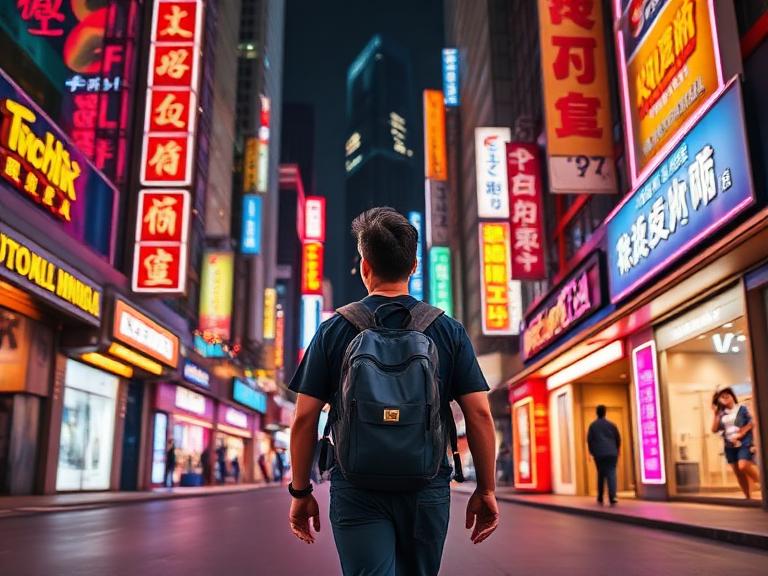
Changi stopovers between long-haul flights
Maps, ride-hailing and social all day — a small Total plan is plenty.

Business trips between MBS, Raffles Place, and one-north
Email, calls and laptop hotspot. Pick a bigger Total plan.

Family visits to Universal Studios and Gardens by the Bay
Long travel days online — steady data between cities.
Weekend food trips from Kuala Lumpur or Jakarta
Maps, ride-hailing and social all day — a small Total plan is plenty.
Frequently asked questions
How do I know if my phone is compatible with a Singapore eSIM?
Your phone must be carrier-unlocked and support eSIM technology, which includes most modern devices like iPhone XS or newer, Samsung Galaxy S20 or newer, and Google Pixel 3 or newer. You can check your device settings for an 'Add eSIM' or 'Add Cellular Plan' option before purchasing. If your phone is locked to a specific home carrier, you will need to ask them to unlock it first.
How much data do I need for a trip to Singapore?
For light usage like navigation and messaging, 1GB to 2GB per day is usually sufficient for exploring Singapore. If you plan to stream HD videos, upload frequently to social media, or use ride-hailing apps like Grab continuously, consider a 3GB to 5GB per day or unlimited plan. While Singapore has widespread public Wi-Fi, a dedicated eSIM plan ensures seamless connectivity on the go.
When should I install my Singapore eSIM?
We recommend installing your eSIM a day before your flight or while waiting at your departure gate using a stable Wi-Fi connection. You can keep the eSIM line turned off until you arrive at Singapore Changi Airport. Once you land, simply switch on the eSIM data line and enable Data Roaming for that profile to connect instantly.
Will my WhatsApp, Instagram, and iMessage still work with a Singapore eSIM?
all your social media apps, messaging services, and iMessage will continue to work normally without any reconfiguration. WhatsApp will prompt you to keep your existing phone number, allowing you to chat with your contacts as usual. The eSIM provides internet data while your app accounts remain tied to your original profile.
Does the Singapore eSIM include a local phone number?
Most travel eSIMs for Singapore are data-only plans and do not include a local Singaporean phone number for traditional voice calls or SMS. You can easily make calls and send messages using data-based apps like WhatsApp, Telegram, or Skype. Internet calling via these apps is widely accepted across Singapore for contacting drivers, hotels, and restaurants.
What should I do if my Singapore eSIM does not connect upon arrival?
First, ensure that Data Roaming is toggled ON for your eSIM profile and that it is selected as your primary mobile data line. Restart your phone or switch Airplane Mode on and off for 10 seconds to force a connection to local networks like Singtel or StarHub. If you still experience issues, check that your APN settings match the instructions provided in your setup guide.
Is a Singapore eSIM cheaper than using my home carrier's international roaming?
a travel eSIM is significantly cheaper than traditional international roaming from home carriers, which often charge high daily rates or per-megabyte fees. A Singapore eSIM connects directly to local high-speed networks at local rates without unexpected surcharges. This allows you to save up to 80% on data costs while enjoying fast 4G or 5G coverage across the island.